I2C
I²C (Inter-Integrated Circuit) is a widely-used, synchronous communication protocol designed for short-distance communication between integrated circuits and micropocessors/controllers. It uses a master-slave architecture with a two-wire interface: SCL (serial clock line) and SDA (serial data line).
In the realm of Programmable Logic Controllers (PLCs), I²C is particularly valuable for extending the functionality of the system without the need for complex wiring. By using I²C, PLCs can easily connect to a variety of sensors, displays, memory modules, and other peripheral devices, facilitating real-time data acquisition, monitoring, and control.
Hardware
Arduino based PLCs feature one external I2C port which works at the voltage levels of the internal microprocessor: 5V. In order to use I2C communication with an external device the SDA and SCL lines, as well as a common ground, need to be connected:
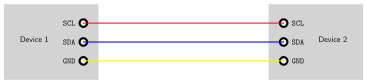
Do not connect voltages higher than 5V to the I2C pins, as this could damage the PLC.
Depending on the PLC, the steps needed to configure the are different. Follow the procedure according to your PLC model:
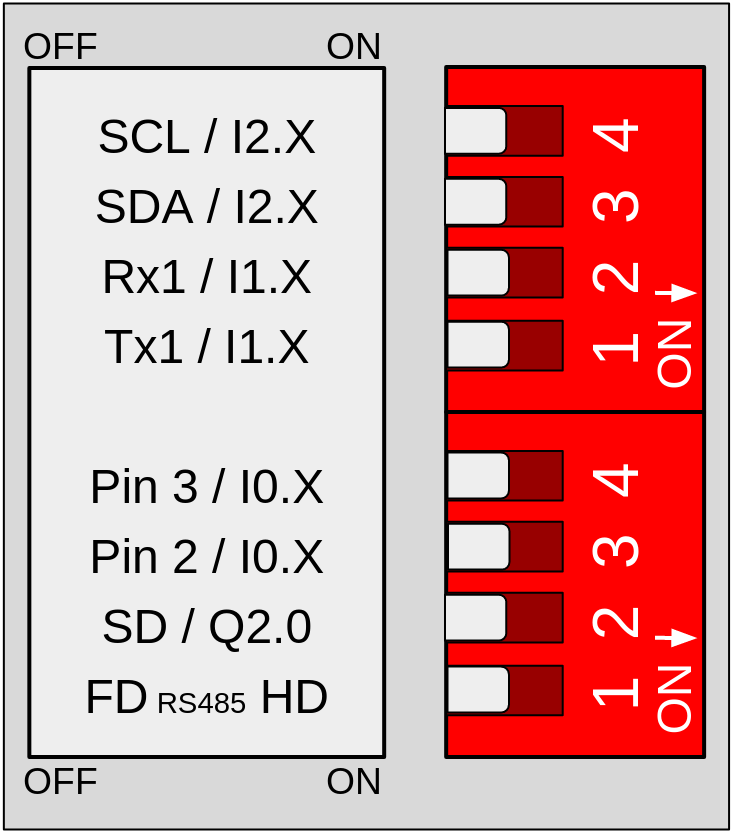
DIP Switches
Configure the following switches, located on the left side of the PLC, to activate the I2C communication.
- Switch 3 (Top) to OFF to enable the SCL pin.
- Switch 4 (Top) to OFF to enable the SDA pin.
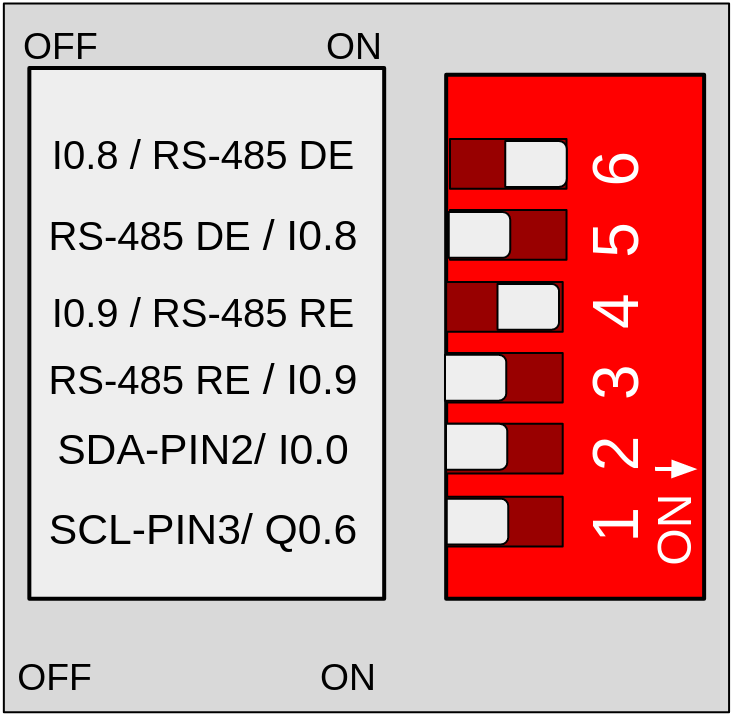
DIP Switches
Configure the following switches, located on the left side of the PLC, to activate the I2C communication.
- Switch 1 to OFF to enable the SDA pin.
- Switch 2 to OFF to enable the SCL pin.
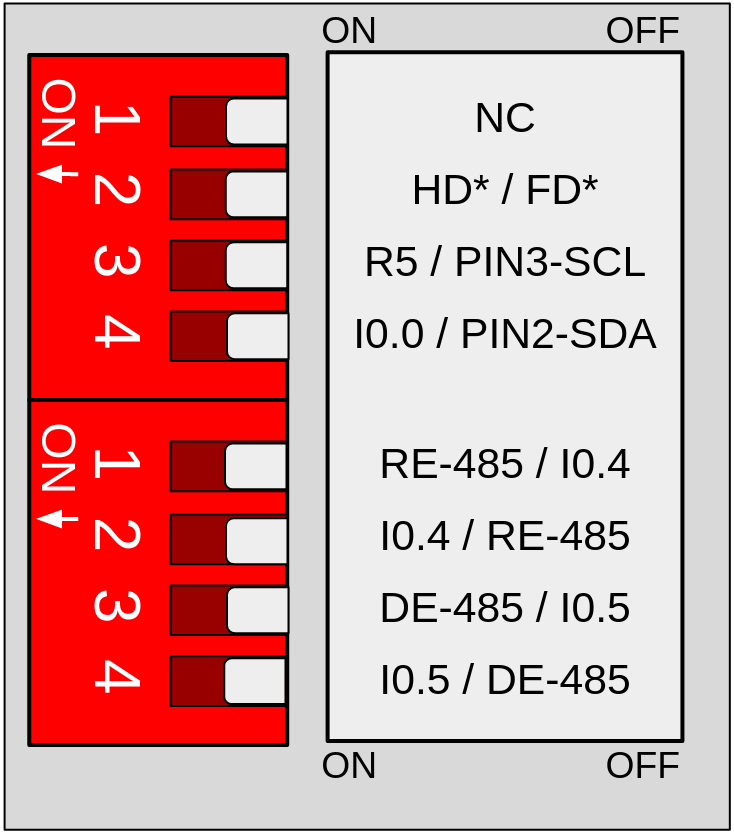
DIP Switches
Configure the following switches, located on the right side of the PLC, to activate the I2C communication.
- Switch 3 (Top) to OFF to enable the SCL pin.
- Switch 4 (Top) to OFF to enable the SDA pin.
Remember to properly power the PLC with a 12-24V power supply.
Software
The I2C can be used with the library "Wire". Check the following example
which implements an I2C scanner that searches the bus for any connected
devices. When a device is detected, it will be reported to the serial
monitor. Note that if you connect the I2C pins (SDA and SCL) to an other
device, it should appear in the scan.
There are no comments for now.
to be the first to leave a comment.