Success story · MIGAL.CO · Panel PC
Heat the wire. Read the vapour. Show the result.
MIGAL.CO built its SMKY 2 wire analyser on a 10.1" Panel PC.
Welding wire can deteriorate. Its surface affects the weld.
The SMKY 2 measures the residues. A Panel PC shows the result.
MIGAL.CO is a German manufacturer of high quality filler metals for MIG and TIG welding. It was founded in January 2000, has its headquarters in Landau an der Isar, Bavaria, and sells in all world markets. Its SMKY 2 residual analyser checks the surface of welding wire. In the 2021 case, a TouchBerry Pi 10.1" Panel PC from Industrial Shields was the screen and the computer inside the analyser.
From the original case
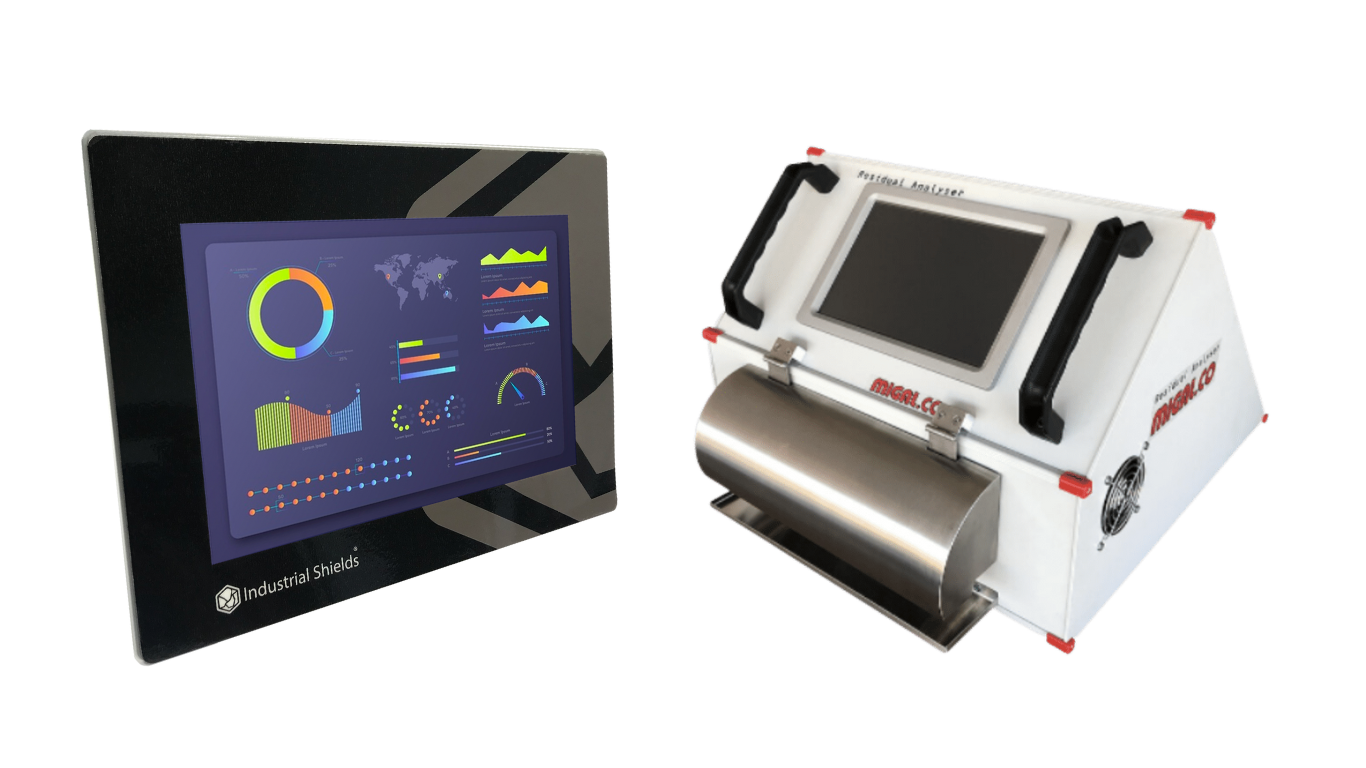
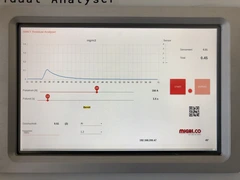
The analyser and its screen.
Real material from the 2021 success story: the SMKY 2 with the touch screen on its front, and the screen during a measurement.
The challenge
The wire surface affects the weld. It is hard to assess.
In welding, you must know the surface condition of the wire electrodes you use. They can deteriorate over time, and wire feeding systems can become contaminated in storage or transport. This affects the quality of the weld. In practice, the surface condition is difficult to assess, but a reliable welding process depends on it. MIGAL.CO developed an instrument for it: the SMKY 2 residual analyser.
Residues you cannot see
Wire electrodes deteriorate over time. Storage and transport can contaminate the wire feeding system.
A repeatable test
A 25 cm piece of wire is clamped in the machine and heated almost to its melting temperature.
A result in minutes
A sensor collects the vapours. The screen shows the result as a graph and as a number.
Flexible, no licences
MIGAL.CO wanted a flexible and adaptable analyser, without licensing fees of any kind.
Ready for the production plant
The SMKY 2 can join a production plant and take more peripherals, such as barcode scanners, for the data collection, storage and processing.
How it works
Three stages: heat, read, keep.
Each stage shows one part of a measurement. Press the buttons and move the slider. The panels are illustrative simulations: the curves, the frames, the values and the preset names are examples, not data from the SMKY 2.
25 cm of wire, heated almost to melting.
The operator clamps a 25 cm piece of wire inside the machine. The analyser heats it almost to its melting temperature. The contaminants on the surface evaporate, and a sensor collects the vapours. Pick a sample and press Start test.
- 25 cm sample clamped in the machine
- Heating almost to the melting temperature
- The sensor collects the vapours of the residues
Test steps (example)
Illustrative simulation. Example values, no data from the SMKY 2. Example: the heat is shown as a share of the melting temperature, and the test runs much faster than in the analyser. The case does not publish the heating method or the test time.
The sensor sends. The Panel PC processes and shows.
The sensor sends its reading to the TouchBerry Pi over UART, a serial link. The Panel PC processes the data and, within minutes, shows the result on its touch screen as a graph and as a number. Press Measure and follow the frames.
- Sensor reading over UART
- Processing inside the Panel PC
- Result as a graph and as a number
Serial frames (example)
Illustrative simulation. Example values, no data from the SMKY 2. Example frame format and units. The case says that the sensor sends its reading over UART and that the Panel PC processes it. It does not publish the protocol, the baud rate or the formula of the result.
One preset per material. One record per test.
MIGAL.CO has preset parameters for most materials on the market, and the user can add new ones or change them. The analyser can also join a production plant and take peripherals such as a barcode scanner. Load a preset, scan a batch and save the result.
- Preset parameters for most materials
- New presets added or changed by the user
- Barcode scanner for the data collection
Records (example)
Illustrative simulation. Example values, no data from the SMKY 2. Example presets, codes and records. The case says that MIGAL.CO has preset parameters for most materials, that new ones can be added or changed, and that peripherals such as barcode scanners can be connected. A typical way to do it: a USB scanner, and a record per test with the batch code.
System architecture
How does a Panel PC run a residual analyser?
The analyser clamps and heats the wire sample, and a sensor collects the vapours of the residues. The sensor sends its reading over UART to a TouchBerry Pi 10.1" Panel PC. The Panel PC runs the analyser application on Linux: it processes the data, keeps the material presets and shows the result on its touch screen. A barcode scanner and a link to the plant network are the typical ways to add the production data.
| Signal | Between | Type | Purpose |
|---|---|---|---|
| Wire sample | BetweenOperator → analyser | TypeMechanical | Purpose25 cm of wire clamped inside the machine |
| Heating | BetweenAnalyser → sample | TypeProcess | PurposeHeats the wire almost to its melting temperature. Heating electronics not published |
| Vapours | BetweenSample → sensor | TypeProcess | PurposeThe contaminants evaporate. The sensor collects the vapours |
| Sensor reading | BetweenSensor → Panel PC | TypeUART | PurposeReadings processed inside the Panel PC. Protocol not published |
| Result | BetweenPanel PC → operator | TypeTouch screen | PurposeA graph and a number, within minutes |
| Presets | BetweenOperator ↔ Panel PC | TypeTouch screen | PurposeParameters for most materials. New ones can be added or changed |
| Barcode | BetweenScanner → Panel PC | TypeUSB (typical) | PurposePeripheral named in the case. The port is an example |
| Plant data | BetweenPanel PC ↔ plant network | TypeEthernet (typical) | PurposeData collection, storage and processing. The link is an example |
Why it works
The screen is the computer. The code belongs to the maker.
One unit for screen and computer
A Raspberry Pi 4 sits behind the 10.1" touch screen. The analyser gets its display and its processing in one industrial device.
An open system
The operating system of the Panel PC is open source based and needs no licence. This was the goal of MIGAL.CO: a flexible analyser, without licensing fees of any kind.
The code belongs to MIGAL.CO
MIGAL.CO owns the whole application, because it knows the code. It can expand the analyser when it needs to.
Presets that can grow
Preset parameters cover most materials on the market. When a new material comes, the user adds a preset or changes one.
A result people can read
The result comes within minutes, as a graph and as a number, on the screen of the analyser.
Ready for the plant
The case names peripherals such as barcode scanners and the integration into production plants. The Panel PC has USB ports and Gigabit Ethernet for it.
Hardware used
A 10.1" Panel PC with a Raspberry Pi 4, built into the analyser.
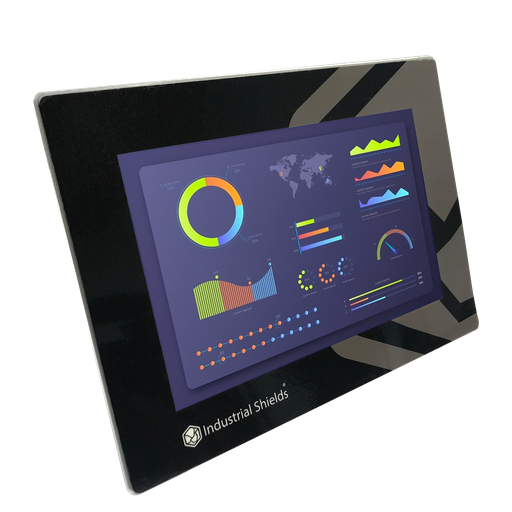
TouchBerry Pi Panel PC 10.1" FLEX
An industrial Panel PC: a Raspberry Pi 4 behind a 10.1-inch capacitive touch screen, with Linux preinstalled. In the SMKY 2 it receives the sensor reading over its serial port, processes it, keeps the presets and shows the result.
- Role
- Screen and computer of the analyser
- Screen
- 10.1" IPS TFT, 1280 x 800, capacitive touch, 900 nits
- Computer
- Raspberry Pi 4, Broadcom BCM2711 quad core, 4 or 8 GB RAM
- Operating system
- Linux, preinstalled
- Serial port
- One: RS-485, RS-232 or TTL, chosen at order
- Other ports
- Gigabit Ethernet, 2 x USB 2.0, 2 x USB 3.0, I2C, SPI
- Own I/O
- 3 digital in, 2 analog in (0-10 V or 4-20 mA), 5 digital out
- Reliability
- UPS with supercapacitors for safe shutdown, real-time clock
- Power supply
- 12 to 24 Vdc, 28 W
- Front
- IP20 or IP65
The 2021 case names the Touchberry Pi 10.1" with a Raspberry Pi 4, and its link goes to this same product. Today it is the TouchBerry Pi Panel PC 10.1" FLEX, with configurable RAM, front and expansion (LoRa, 4G or CAN). The CORE version has a standard configuration. The case does not publish the RAM, the front or the serial option of the units in the SMKY 2. Choose the serial option that matches the electronics of your sensor.
Questions about this success story
What does a wire electrode residual analyser measure?
It measures the residues on the surface of welding wire. In the MIGAL.CO SMKY 2, a 25 cm piece of wire is clamped in the machine and heated almost to its melting temperature. The contaminants evaporate, a sensor collects the vapours, and the Panel PC shows the result within minutes, as a graph and as a number.
Why does the surface condition of welding wire matter?
Wire electrodes can deteriorate over time, and wire feeding systems can become contaminated in storage or transport. This affects the quality of the weld. The surface condition is difficult to assess in practice, and a reliable welding process depends on it. That is the problem the SMKY 2 solves.
How does the sensor talk to the Panel PC?
Over UART, a serial link. The Panel PC receives the readings and processes them. The case does not publish the protocol or the baud rate. The current TouchBerry Pi 10.1" has one serial port, set at the factory as RS-485, RS-232 or TTL: choose the one that matches your sensor electronics. See the technical features of the TouchBerry Pi family.
Which software runs the analyser screen?
The Panel PC runs Linux, and MIGAL.CO owns the whole application and knows its code. The case does not publish the software stack. Two common ways to build a touch application on a TouchBerry Pi: a Python GUI, as in this PySide6 touch GUI example, or a Node-RED dashboard in kiosk mode.
How do the results reach the production plant?
The case says the SMKY 2 can join a production plant and take more peripherals, such as barcode scanners, for the data collection, storage and processing. A typical way to do it: a USB barcode scanner tags each test with the batch, the results go to a log, and the Panel PC sends them over Ethernet. See CSV logging with a live history table and CSV export to a USB drive.
Who owns the software of the analyser?
MIGAL.CO. The operating system is open source based and needs no licence, and MIGAL.CO owns the whole application, because it knows the code. To protect the preset editing on the touch screen, see this admin login with a virtual keyboard.
Download the success story
4-page PDF with the challenge, the logic, the architecture and the hardware. No form required.
Building your own instrument?
Tell us your sensor and your screen. An engineer will answer.
Tell us what your machine measures, how the sensor talks (UART, RS-485, USB or Ethernet), the screen size you need and where the data must go. We will tell you which Panel PC or PLC fits.
- You get an answer from our technical team
- Serial option and screen size for your instrument
- Panel PCs with Raspberry Pi, and Arduino, ESP32 or Raspberry Pi based PLCs