Last Update 05/03/2026
Completion Time 1 week 1 day 23 hours 58 minutes
Members 26
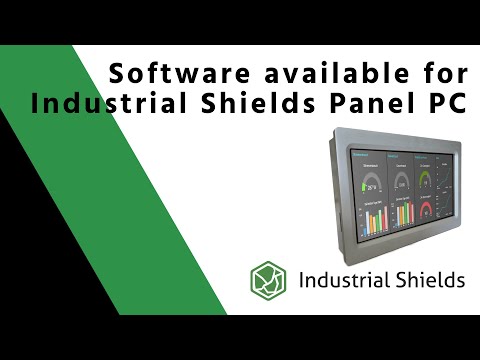
Best Software available to program and work with Industrial Shields Panel PC

In this video you will see one of the best option to easily program Industrial Shields HMI. With the use of NodeRED© you can start programming an application for the Touchberry range.

Layouts
View all
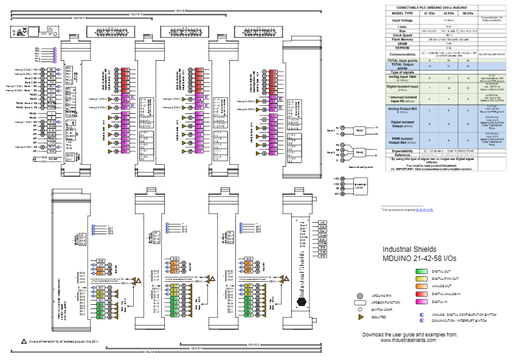
MINO-21-42-58
MINO-21-42-58
Preview

Layout
MINO 21, 42, 58

Certificates
View all
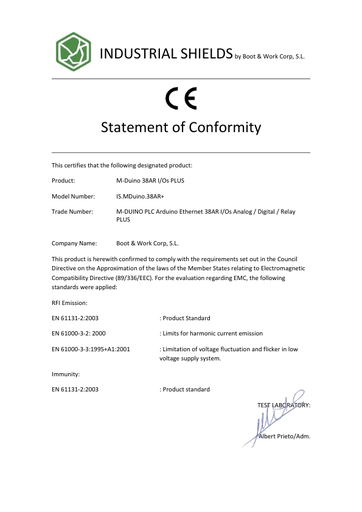
CE Mduino 38AR+
CE Mduino 38AR+
Preview

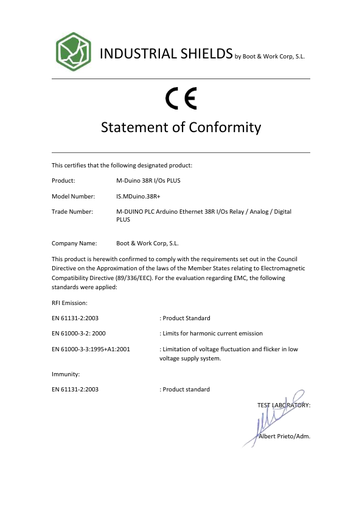
CE State of conformity for M-Duino 38AR

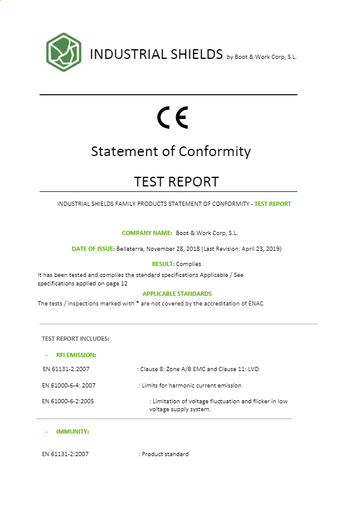
CE Mduino 38R+
CE Mduino 38R+
Preview

CE State of conformity for M-Duino 38R

Brochures
View all
Raspberry Pi PLC - English - OLD **
Preview

Raspberry Pi PLC catalog - English

202203 GENERAL PRODUCT BROCHURE
Preview

Industrial Shields Brochure. Programmable Logic Controllers based on Arduino, Raspberry Pi and ESP32. Panel PCs based on Raspberry Pi and Tinker Touch.

Case Studies - Casos de estudio
View all
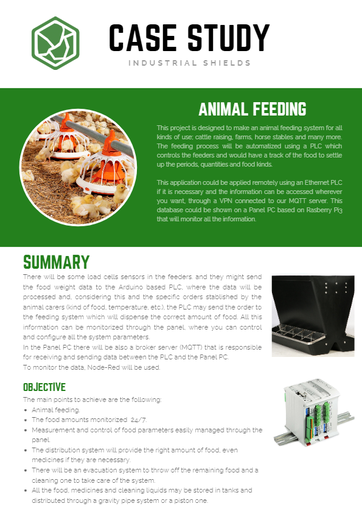
Case Study - Animal Feeding  automation using Arduino based PLC
Case Study - Animal Feeding automation using Arduino based PLC
Preview

This project is designed to make an animal feeding system for all kinds of use; cattle raising, farms, horse stables and many more. The feeding process will be automatized using a PLC which controls the feeders and would have a track of the food to settle up the periods, quantities and food kinds.

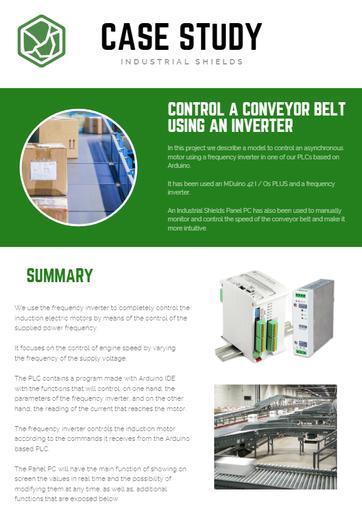
Control a conveyor belt using an inverter
Preview

In this project we describe a model to control an asynchronous motor using a frequency inverter in one of our PLCs based on Arduino.

It has been used an MDuino 42 I / Os PLUS and a frequency inverter.

An Industrial Shields Panel PC has also been used to manually monitor and control the speed of the conveyor belt and make it more intuitive.

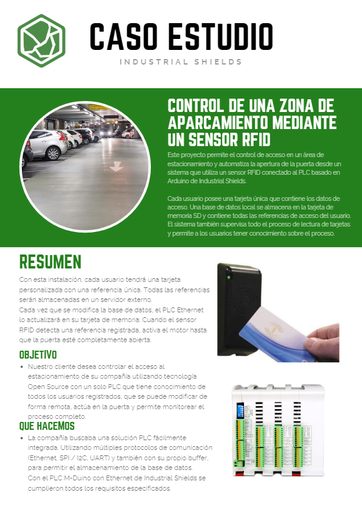
CASO ESTUDIO - CONTROL DE PARKING RFID
Preview

CASO ESTUDIO - CONTROL DE PARKING RFID

Short Videos
View all
Best Software available to program and work with Industrial Shields Panel PC
Preview

In this video you will see one of the best option to easily program Industrial Shields HMI. With the use of NodeRED© you can start programming an application for the Touchberry range.

▷ Cómo utilizar la librería Softwareserial en Arduino para uso Industrial como un PLC (con ejemplo)
Preview

Industrial Shields es un referente mundial sobre el uso de dispositivos industriales basados en tecnología Open Source. Ya sea Arduino, Raspberry Pi u otras plataformas Open Source disponibles en el mercado.

✅ Este vídeo es un resumen del post subido por parte de nuestro equipo técnico, y entenderás cómo funciona y qué diferencias principales hay en el uso de la librería softwareserial.h en comparación con hardwareserial.h de Arduino.

Puedes continuar la información del vídeo en el siguiente post:
https://www.industrialshields.com/es_ES/blog/arduino-industrial-1/post/usando-la-libreria-software-serial-en-plcs-de-industrial-shields-99
-------
Links:
SUSCRÍBETE AL CANAL:
https://www.youtube.com/channel/UCdQn1Fwb-yc6UvQD_V-KJkA

CURSO GRATUITO ARDUINO:
https://www.industrialshields.com/programming-arduino-on-industrial-environments-course-10-chapters

PLC INDUSTRIAL CON ARDUINO:
FAMILIA ARDBOX:
https://www.industrialshields.com/industrial-plc-based-on-arduino-original-boards-automation-solutions-20ios
FAMILIA ETHERNET:
https://www.industrialshields.com/industrial-plc-based-on-arduino-original-boards-automation-solutions
RESUMEN DEL POST:
Qué es la comunicación Serial con Arduino y cómo se utiliza la librería en el Arduino IDE

Hay diferentes tipos de comunicación Serial. Cuando se utiliza una placa Arduino en un proyecto, puedes utilizar el estándar de comunicación Serial desde los pins Rx, Tx, de la UART incorporado en la misma placa Arduino, lo que se llama SerialTTL. En este caso, utilizarás la librería Hardwareserial.h, pero hay otros pines adicionales que también te permiten trabajar como Rx o Tx. Por ejemplo, los pines de la comunicación SPI como son MISO, MOSI y Select (SC); de hecho, estos pines también pueden trabajar como entradas y salidas digitales, y tal y como explicamos son muy prácticos para utilizarse como Rx, Tx utilizando la librería softwareserial.h.

Las comunicaciones Serial te permiten conectar dos dispositivos diferentes enviando y recibiendo datos entre ellos.

El puerto Serial TTL se puede transformar a un estándar Industrial como son RS232 y RS485. Al utilizar RS232, la funcionalidad es bastante similar a la del puerto Serial TTL, aunque trabajas a un rango de voltaje estandarizado (ya que, para una placa Arduino Uno, Mega o Leonardo, el Serial TTL funciona a 5V). En cambio, si utilizas el puerto RS485, puedes configurar una red de comunicaciones entre dispositivos donde defines un equipo que trabaje como MAESTRO (Master), conectado a varios dispositivos configurados como ESCLAVOS (Slave). En este caso, el número de dispositivos que puedes conectar es de entre 2 a 32 dispositivos (comúnmente llamados Nodos). La máxima distancia entre estos dispositivos será de hasta 1220m, siempre y cuando el cableado esté bien echo y cumpliendo con los requisitos EMC, y el ruido eléctrico haya sido minimizado.

-------------------------------------------------- -------------------------------------------------- --------------------------------------------


📌 Visita nuestro sitio web oficial para obtener más información sobre nuestros productos: https://www.industrialshields.com/


-------------------------------------------------- -------------------------------------------------- --------------------------------------------


📚 Consulta nuestro blog para obtener más información y ejemplos: https://www.industrialshields.com/


☑️ Síguenos en Twitter: https://twitter.com/indshields


☑️ Síguenos en Facebook: https://www.facebook.com/industrialshields/


☑️ Síguenos en Linkedin: https://es.linkedin.com/company/industrialshields

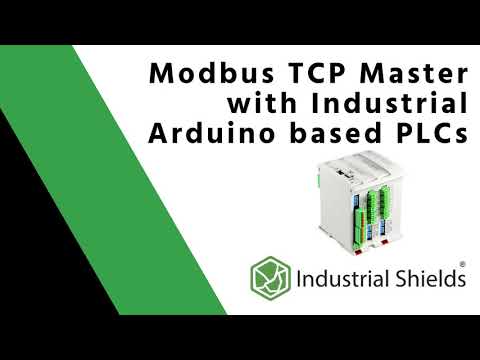
How to use an Arduino industrial PLC and Modbus TCP/IP
Preview

Modbus is a very useful standard that allows us to communicate several devices from different manufacturers in the same network. In this video we show you an example of Modbus.

You can find more information in this Blog post.
https://www.industrialshields.com/blog/arduino-industrial-1/post/how-to-connect-an-arduino-industrial-plc-using-modbus-tcp-ip-106


Remember giving a like and subscribing to our Youtube channel to keep in touch!

------------------------------------------------------------------------------------------------------------------------------------------------


📌 Check our official website to know more about our products: https://www.industrialshields.com/

------------------------------------------------------------------------------------------------------------------------------------------------


📚 Check our blog for more information and examples: https://www.industrialshields.com/blog/industrial-shields-blog-1


☑️ Follow us on Twitter: https://twitter.com/indshields

☑️ Follow us on Facebook: https://es-es.facebook.com/pg/industrialshields

☑️ Follow us on Linkedin: https://linkedin.com/company/industrialshields
Datasheet
View all
202011 Raspberry PLC Family Datasheet
Preview

202011 Raspberry PLC Family Datasheet

202010-Raspberry-PLC-Family-Data-sheet
Preview

202010-Raspberry-PLC-Family-Data-sheet

Datasheet M-Duino 21+ LoRa
Preview

Datasheet of the industrial Arduino PLC M-Duino 21+ LoRa

Public information of interest. Subscribe to see the updates first!