
Complete guide: Choosing an industrial controller
To collect data from machines and plants with Raspberry Pi based hardware, you choose between three device types. A gateway such as the GateBerry reads existing devices over RS-485 (Modbus RTU) or Ethernet (Modbus TCP) and forwards the values to MQTT, a database or the cloud. A Raspberry PLC does the same and also reads sensors and drives outputs on its own industrial I/O. A panel PC such as the TouchBerry Pi shows the data to the operator at the machine. All three run Linux on a Raspberry Pi 4 (the GateBerry FLEX can also use a Raspberry Pi 5), so the data layer uses open tools: Node-RED, Python, MQTT, InfluxDB or Grafana.
This guide compares the three devices with the data of their product sheets, shows a typical data extraction architecture, lists the protocols and tools for each layer, and explains how to keep data when the network or the power fails.
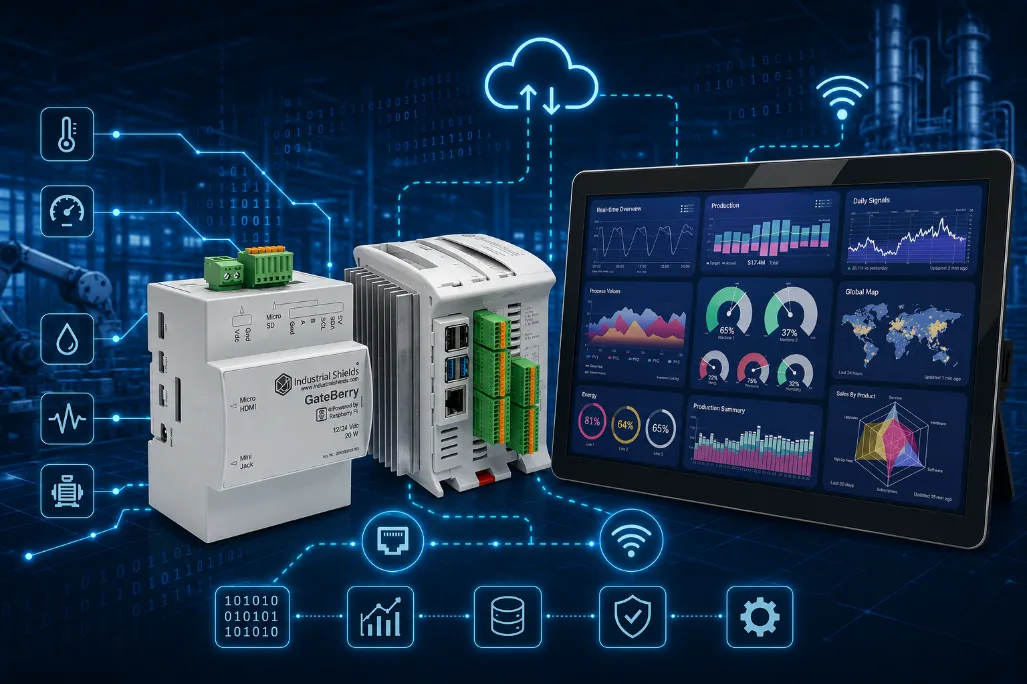
GateBerry, Raspberry PLC and TouchBerry Pi: which device does what?
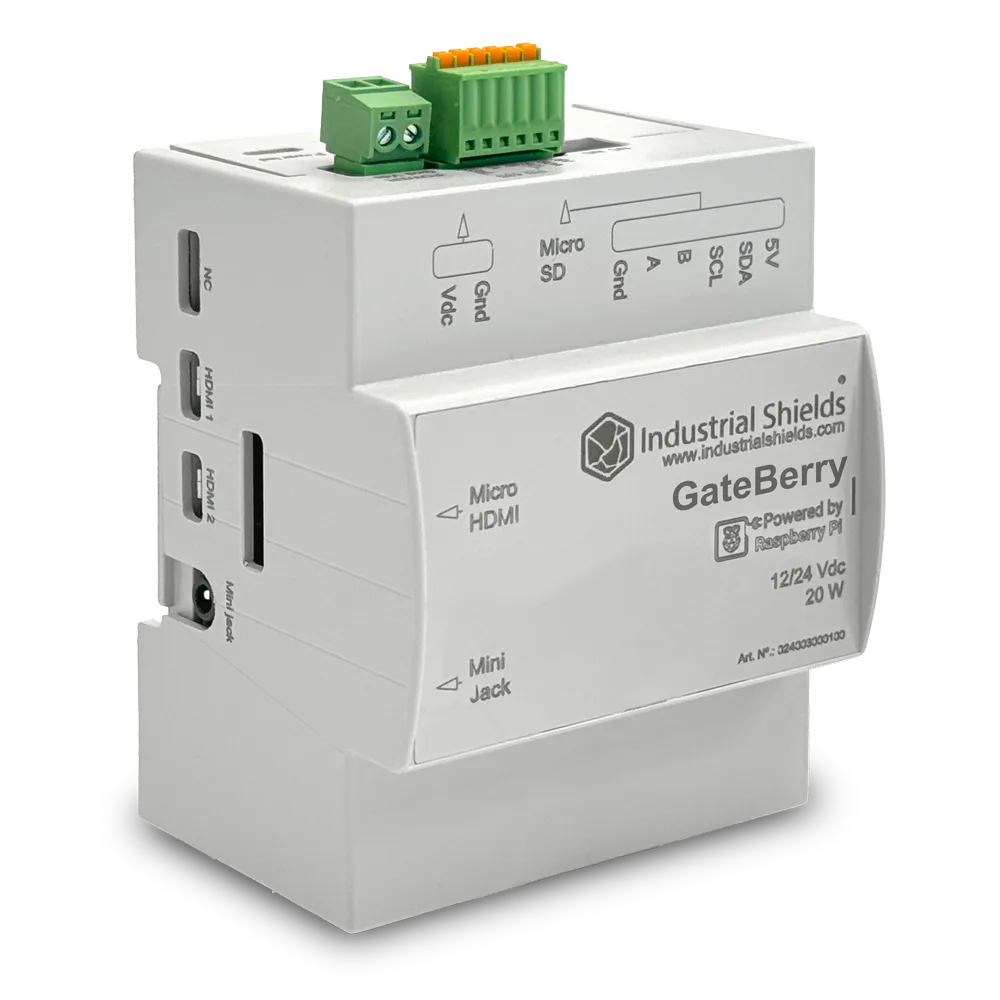
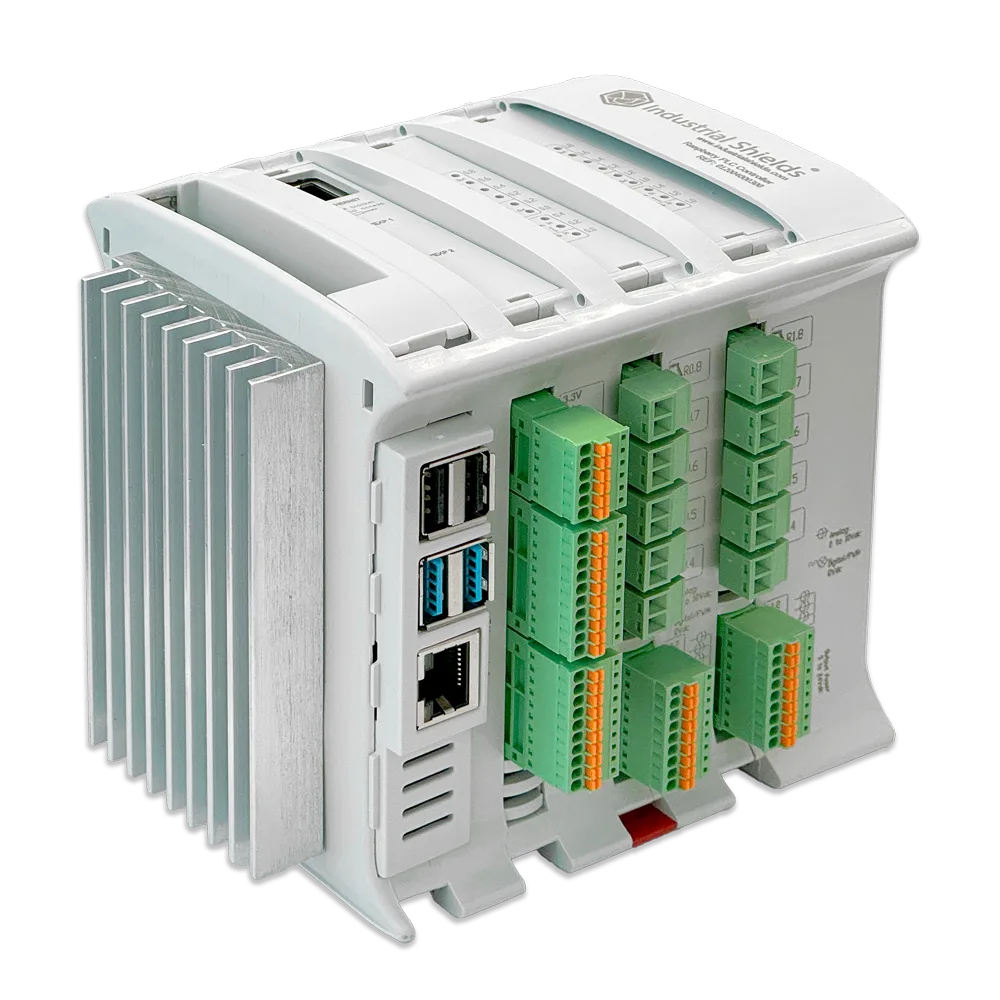
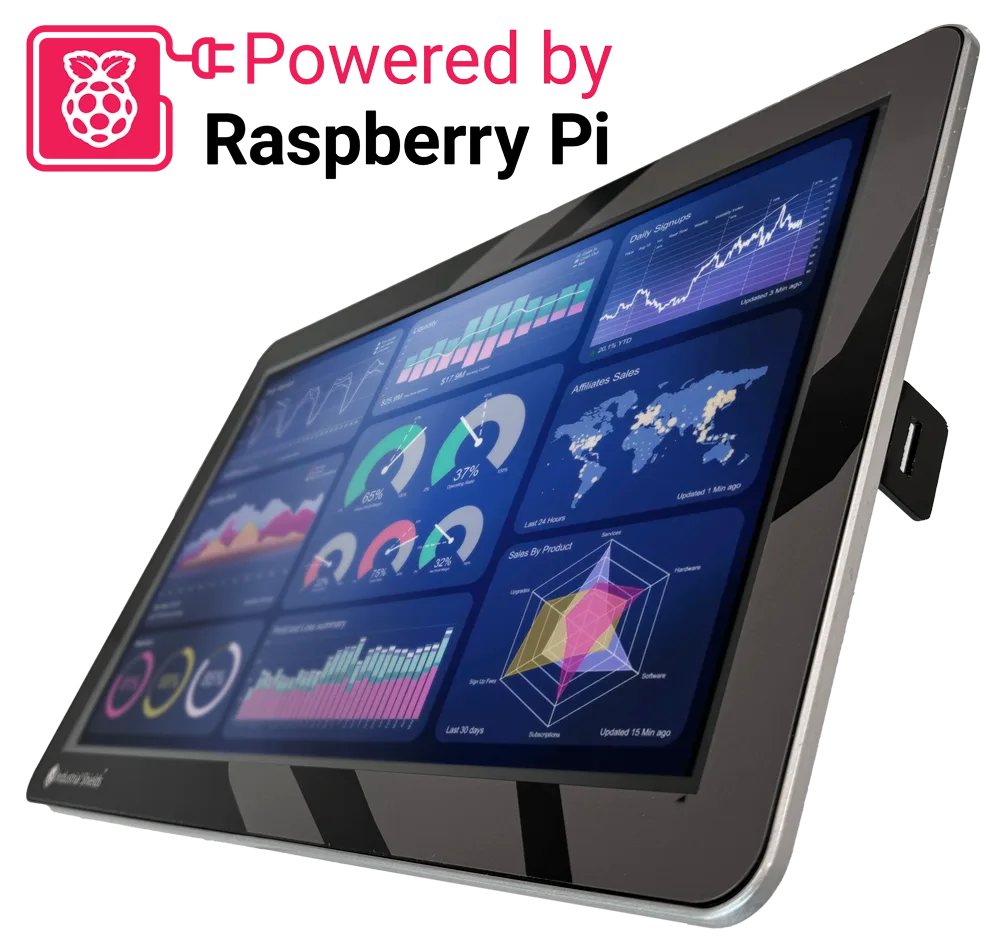
| Item | GateBerry | Raspberry PLC 21 | TouchBerry Pi 10.1" |
|---|---|---|---|
| Main role | Read field devices and forward the data | Read sensors, control outputs and forward the data | Show the data to the operator |
| Computer | Raspberry Pi 4 (BCM2711, 1.8 GHz); FLEX also with Raspberry Pi 5 | Raspberry Pi 4 (BCM2711, 1.8 GHz) | Raspberry Pi 4 (BCM2711) |
| Own I/O | None | 13 inputs (6 analog 0-10 V) and 8 outputs (3 analog/PWM) | 3 digital inputs, 2 analog inputs (0-10 V or 4-20 mA), 5 digital outputs |
| Field ports | RS-485, I2C | 2 x RS-485, TTL serial, I2C, SPI | One serial port (RS-485, RS-232 or TTL, chosen at order), I2C, SPI |
| Network | Gigabit Ethernet, Wi-Fi, Bluetooth LE | Gigabit and 10/100 Ethernet, Wi-Fi, Bluetooth LE | Gigabit Ethernet |
| Power loss | UPS with supercapacitors, safe shutdown | UPS with supercapacitors, safe shutdown | UPS with supercapacitors, safe shutdown |
| Real-time clock | PCF85363 with battery | DS3231 with battery | Yes |
| Supply | 12 to 24 Vdc | 12 to 24 Vdc | 12 to 24 Vdc |
| Mounting | DIN rail, IP20 | DIN rail, IP20 | Panel, 10.1" touchscreen, front IP20 or IP65 (FLEX) |
| Options (FLEX) | LoRa, 4G, CAN, M-Bus or RS-232 | CAN, LoRa, 4G or M-Bus master | LoRa, 4G or CAN |
The GateBerry and the Raspberry PLC run Debian Bookworm 64-bit, preinstalled. The Raspberry PLC family goes from the 19R to the 58; for example, the Raspberry PLC 42 has 26 inputs and 16 outputs. The TouchBerry Pi also comes with 7" and 18.5" screens.
A typical data extraction architecture
- 1. FieldDevices and sensorsEnergy meters, drives, older PLCs and transmitters, on RS-485, Ethernet or 4-20 mA and 0-10 V signals.
- 2. CollectGateway or PLCPolls Modbus RTU and Modbus TCP, reads its own inputs, adds a timestamp from its real-time clock.
- 3. EdgeStore and processFilters and scales values, keeps a local database and buffers data while the network is down.
- 4. UseShow and sendA panel PC at the machine, an MQTT broker, a SCADA or a cloud platform.
The device in step 2 does not have to replace the control system. In many plants the existing PLC keeps running the machine, and a gateway reads its registers in parallel. This is the safest way to start monitoring a machine that is already in production.
Protocols and tools for each layer
| Task | Usual protocol or tool | Where to start |
|---|---|---|
| Read meters, drives and PLCs | Modbus RTU over RS-485, Modbus TCP over Ethernet | Modbus TCP and RTU guide for Raspberry Pi PLCs |
| Read Modbus from Python | PyModbus | PyModbus with a Raspberry Pi PLC |
| Expose data to SCADA and MES | OPC UA server | OPC UA server on a Raspberry PLC with Node-RED |
| Send data to a broker or the cloud | MQTT | ThingsBoard dashboard with MQTT |
| Build flows and dashboards | Node-RED | Node-RED dashboard example |
| Store time series | InfluxDB, TimescaleDB, SQLite | Open source IIoT databases |
| Control logic in IEC 61131-3 | CODESYS or OpenPLC | CODESYS on a Raspberry PLC and the OpenPLC guide |
Because the devices run a standard Linux, you can also run several of these tools side by side in Docker containers, and update them over the network without changing the hardware.
How to keep the data when the network or the power fails
- Buffer at the edge. Write each reading to a local database first and send it to the server from there. When the link comes back, send what is pending. MQTT with QoS 1 also retries messages that were not acknowledged.
- Timestamp at the source. Use the real-time clock of the device, synchronised with NTP when there is network, so the delayed data keep their real time.
- Shut down cleanly. The UPS with supercapacitors of these devices lets Linux shut down safely after a power loss, which protects the database and the file system on the microSD card.
- Show data locally. A panel PC with its own dashboard keeps showing values and alarms at the machine even when the central system is not reachable.
How to choose the device
- You only need to read equipment that is already installed: a gateway such as the GateBerry.
- You also need to read sensors or drive outputs: a Raspberry PLC, sized by the number of I/O.
- The operator needs a screen at the machine: a TouchBerry Pi, alone or next to a gateway or a PLC.
- The machine needs fast, deterministic control loops: keep them in a controller made for that and let the Raspberry device handle the data. The guide to choosing an industrial controller compares the options.
FAQ about monitoring with Raspberry Pi devices
Can a Raspberry PLC read data from an existing Siemens or Schneider PLC?
Yes, if the existing PLC offers Modbus TCP, Modbus RTU or OPC UA. The Raspberry PLC acts as the client or master and reads its registers without changing its program.
Which operating system do these devices use?
The GateBerry and the Raspberry PLC come with Debian Bookworm 64-bit preinstalled. The TouchBerry Pi comes with Linux preinstalled.
What happens when the power fails?
The built-in UPS with supercapacitors keeps the device on long enough to shut Linux down safely. When the power returns, the device starts again and your services start with it.
Is Linux on a Raspberry PLC a real-time system?
Standard Linux is not a hard real-time operating system. It is well suited to data collection, protocol conversion and supervision. For fast deterministic loops, measure the timing in your application or keep that part in a dedicated controller.
Can I add 4G or LoRa for a remote site?
Yes. The FLEX versions take one communication board: 4G and LoRa are available on the GateBerry, the Raspberry PLC 21 and the TouchBerry Pi.
Take it further
Edge data collection in practice: a gateway for a solar plant, a live monitoring simulation and the GateBerry gateway.
Case study
Every tracker reports. The SCADA sees the whole field.
A gateway per block publishes every tracker row in a fixed Modbus TCP register map for the SCADA, and over MQTT for the operations server.
Read the case study
Simulator
Machine Monitor simulator: OEE, alarms and energy on a live packaging line
An ESP32 PLC, a GateBerry gateway and a TouchBerry panel monitor a line: OEE, downtime Pareto, alarms over Telegram and MQTT data in real time.
Open the simulator
Product
GateBerry FLEX, the Raspberry Pi industrial gateway
A gateway that bridges sensors, local equipment and the cloud, compatible with Node-RED, MQTT and open platforms.
See the product