Canal público
| Última actualización | 05/03/2026 |
|---|---|
| Tiempo de finalización | 1 semana 1 día 23 horas 58 minutos |
| Miembros | 26 |
Compartir este curso
Compartir enlace
Compartir en redes sociales
Compartir por correo electrónico
Por favor inicíe sesión para compartir este Canal público por correo electrónico.
Short Videos
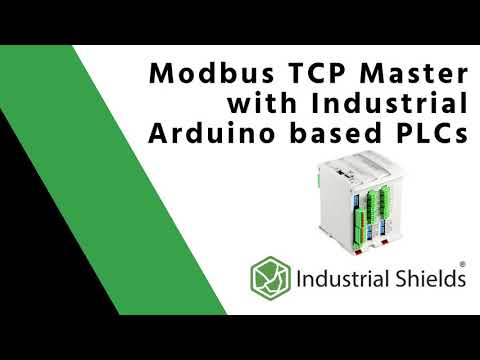
Ver todoModbus is a very useful standard that allows us to communicate several devices from different manufacturers in the same network. In this video we show you an example of Modbus.
You can find more information in this Blog post.
https://www.industrialshields.com/blog/arduino-industrial-1/post/how-to-connect-an-arduino-industrial-plc-using-modbus-tcp-ip-106
Remember giving a like and subscribing to our Youtube channel to keep in touch!
------------------------------------------------------------------------------------------------------------------------------------------------
📌 Check our official website to know more about our products: https://www.industrialshields.com/
------------------------------------------------------------------------------------------------------------------------------------------------
📚 Check our blog for more information and examples: https://www.industrialshields.com/blog/industrial-shields-blog-1
☑️ Follow us on Twitter: https://twitter.com/indshields
☑️ Follow us on Facebook: https://es-es.facebook.com/pg/industrialshields
☑️ Follow us on Linkedin: https://linkedin.com/company/industrialshields
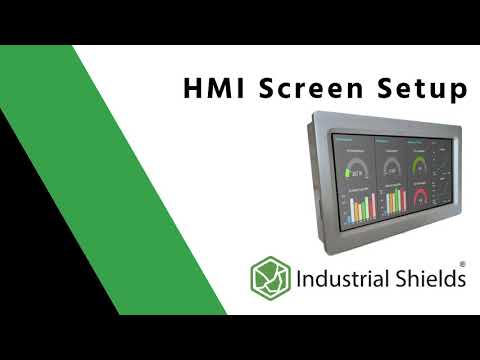
Configuring an HMI Kinco Screen using an Industrial Shields industrial controller Arduino using Modbus communication.
You can find more information in this Blog post.
https://www.industrialshields.com/blog/arduino-industrial-1/post/how-to-connect-an-hmi-screen-using-arduino-plc-262
Remember giving a like and subscribing to our Youtube channel to keep in touch!
------------------------------------------------------------------------------------------------------------------------------------------------
📌 Check our official website to know more about our products: https://www.industrialshields.com/
------------------------------------------------------------------------------------------------------------------------------------------------
📚 Check our blog for more information and examples: https://www.industrialshields.com/blog/industrial-shields-blog-1
☑️ Follow us on Twitter: https://twitter.com/indshields
☑️ Follow us on Facebook: https://es-es.facebook.com/pg/industrialshields
☑️ Follow us on Linkedin: https://linkedin.com/company/industrialshields
Industrial Shields es un referente mundial sobre el uso de dispositivos industriales basados en tecnología Open Source. Ya sea Arduino, Raspberry Pi u otras plataformas Open Source disponibles en el mercado.
✅ Este vídeo es un resumen del post subido por parte de nuestro equipo técnico, y entenderás cómo funciona y qué diferencias principales hay en el uso de la librería softwareserial.h en comparación con hardwareserial.h de Arduino.
Puedes continuar la información del vídeo en el siguiente post:
https://www.industrialshields.com/es_ES/blog/arduino-industrial-1/post/usando-la-libreria-software-serial-en-plcs-de-industrial-shields-99
-------
Links:
SUSCRÍBETE AL CANAL:
https://www.youtube.com/channel/UCdQn1Fwb-yc6UvQD_V-KJkA
CURSO GRATUITO ARDUINO:
https://www.industrialshields.com/programming-arduino-on-industrial-environments-course-10-chapters
PLC INDUSTRIAL CON ARDUINO:
FAMILIA ARDBOX:
https://www.industrialshields.com/industrial-plc-based-on-arduino-original-boards-automation-solutions-20ios
FAMILIA ETHERNET:
https://www.industrialshields.com/industrial-plc-based-on-arduino-original-boards-automation-solutions
RESUMEN DEL POST:
Qué es la comunicación Serial con Arduino y cómo se utiliza la librería en el Arduino IDE
Hay diferentes tipos de comunicación Serial. Cuando se utiliza una placa Arduino en un proyecto, puedes utilizar el estándar de comunicación Serial desde los pins Rx, Tx, de la UART incorporado en la misma placa Arduino, lo que se llama SerialTTL. En este caso, utilizarás la librería Hardwareserial.h, pero hay otros pines adicionales que también te permiten trabajar como Rx o Tx. Por ejemplo, los pines de la comunicación SPI como son MISO, MOSI y Select (SC); de hecho, estos pines también pueden trabajar como entradas y salidas digitales, y tal y como explicamos son muy prácticos para utilizarse como Rx, Tx utilizando la librería softwareserial.h.
Las comunicaciones Serial te permiten conectar dos dispositivos diferentes enviando y recibiendo datos entre ellos.
El puerto Serial TTL se puede transformar a un estándar Industrial como son RS232 y RS485. Al utilizar RS232, la funcionalidad es bastante similar a la del puerto Serial TTL, aunque trabajas a un rango de voltaje estandarizado (ya que, para una placa Arduino Uno, Mega o Leonardo, el Serial TTL funciona a 5V). En cambio, si utilizas el puerto RS485, puedes configurar una red de comunicaciones entre dispositivos donde defines un equipo que trabaje como MAESTRO (Master), conectado a varios dispositivos configurados como ESCLAVOS (Slave). En este caso, el número de dispositivos que puedes conectar es de entre 2 a 32 dispositivos (comúnmente llamados Nodos). La máxima distancia entre estos dispositivos será de hasta 1220m, siempre y cuando el cableado esté bien echo y cumpliendo con los requisitos EMC, y el ruido eléctrico haya sido minimizado.
-------------------------------------------------- -------------------------------------------------- --------------------------------------------
📌 Visita nuestro sitio web oficial para obtener más información sobre nuestros productos: https://www.industrialshields.com/
-------------------------------------------------- -------------------------------------------------- --------------------------------------------
📚 Consulta nuestro blog para obtener más información y ejemplos: https://www.industrialshields.com/
☑️ Síguenos en Twitter: https://twitter.com/indshields
☑️ Síguenos en Facebook: https://www.facebook.com/industrialshields/
☑️ Síguenos en Linkedin: https://es.linkedin.com/company/industrialshields
Industrial Shields is a worldwide leader in the use of Industrial Technology based on Open Source licenses using Arduino, Raspberry Pi or other Open Source platforms available in the market.
✅ This video shows a summary of the updated post made by our technical team. You will understand how the softwareserial library for Arduino can be used and what is the difference between softwareserial.h and hardwareserial.h.
You can see the post on the link below:
https://www.industrialshields.com/blog/arduino-industrial-1/post/usando-la-libreria-software-serial-en-plcs-de-industrial-shields-99
-------
Other interesting links:
Join the Channel:
https://www.youtube.com/channel/UCdQn1Fwb-yc6UvQD_V-KJkA
Free Arduino course::
https://www.industrialshields.com/programming-arduino-on-industrial-environments-course-10-chapters
Arduino Industrial Controller(Arduino based PLC):
ARDBOX Family:
https://www.industrialshields.com/industrial-plc-based-on-arduino-original-boards-automation-solutions-20ios
ETHERNET Family:
https://www.industrialshields.com/industrial-plc-based-on-arduino-original-boards-automation-solutions
SUMMARY of the post:
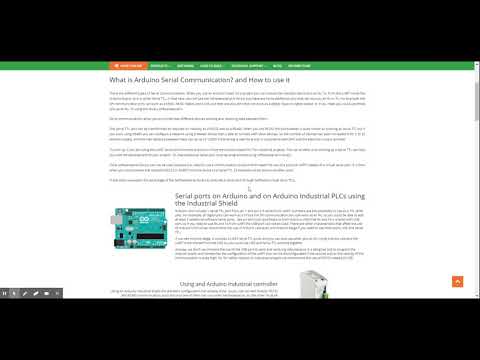
What is Arduino Serial Communication and How to use it.
There are different types of Serial Communications. When you use an Arduino board in a project, you can choose the standard Serial pins such as Rx, Tx, from the UART inside the Arduino board, so it is called Serial TTL. In that case, you will use the Hardwareserial.h library but there are some additional pins that can work as an Rx or Tx. For example, the SPI communication pins can work as a MISO, MOSI and Select (SC), but they are also pins that can work as a digital input or digital output, or if you need you can use those pins as Rx, Tx using the library softwareserial.h.
Serial communications allow you to connect two different devices sending and receiving data between them.
The Serial TTL port can be transformed as required in the Industry as a RS232 and as a RS485. When RS232 is used, the functionality is quite similar to working as Serial TTL but, if you work with RS485, you can configure a network using a Master device that is capable of connecting to Slave devices. So the number of devices has been increased from 2 to 32 devices (nodes). And the maximum distance between them can be up to 1220m if the wiring is well done and EMC compliant and electrical noise is avoided.
To sum up, if you are using the UART serial port from the Arduino or from the Arduino based PLC for Industrial projects, the use of other pins working as a Serial TTL can help you with the successful development of your project. So, that additional serial port must be programmed using softwareserial.h library.
If the hardwareserial library can not be used because you need to use a communication protocol that requires the use of a physical UART instead of a virtual serial port, then, you could convert the RS232 or RS485 standard from the device to a Serial TTL. (This example will be shown in another post).
In this post, we explain the advantage of the SoftwareSerial library to simulate a serial port through Software (virtual serial TTL) using the Arduino IDE.
-------------------------------------------------- -------------------------------------------------- --------------------------------------------
📌 Please see our official website for more information about our products: https://www.industrialshields.com/
-------------------------------------------------- -------------------------------------------------- --------------------------------------------
📚 Check out our blog for more information and examples: https://www.industrialshields.com/blog/arduino-industrial-1
☑️ Follow us on Twitter: https://twitter.com/indshields
☑️ Follow us on Facebook: https://www.facebook.com/industrialshields/
☑️ Follow us on Linkedin: https://es.linkedin.com/company/industrialshields
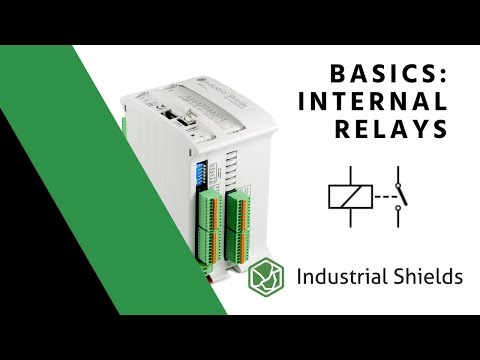
This video explains how to work with internal relays in an Arduino PLC.
📌 Learning the basics about internal relays of an industrial PLC:
https://www.industrialshields.com/blog/industrial-shields-blog-1/post/learning-the-basics-about-internal-relays-of-an-industrial-plc-180
Remember giving a like and subscribing to our Youtube channel to keep in touch!
------------------------------------------------------------------------------------------------------------------------------------------------
📌 Check our official website to know more about our products: https://www.industrialshields.com/
------------------------------------------------------------------------------------------------------------------------------------------------
📚 Check our blog for more information and examples: https://www.industrialshields.com/blog/industrial-shields-blog-1
☑️ Follow us on Twitter: https://twitter.com/indshields
☑️ Follow us on Facebook: https://es-es.facebook.com/pg/industrialshields
☑️ Follow us on Linkedin: https://es.linkedin.com/company/industrialshields
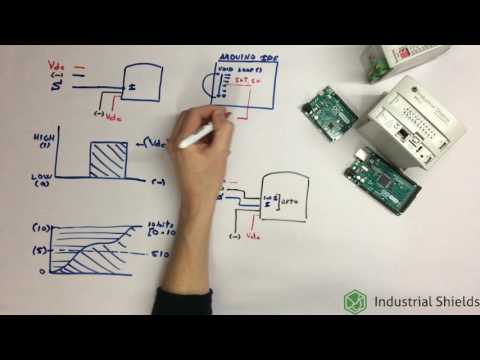
This is the 2nd chapter of the course of Arduino based PLC programmed to be used on industrial environments. 100% Free course. Chapter 2: Inputs.
If you found the video from YouTube, you can also join to the course in the following link:
https://www.industrialshields.com/programming-arduino-on-industrial-environments-course-10-chapters
REMEMBER that Industrial Shields teaches you how to use Arduino in Industrial environments safely and in compliance with the current Industrial requirements.
--------------------------------------------------------------------------------------------
SUBSCRIBE SO AS NOT TO MISS ANY VIDEOS ON HOW TO USE ARDUINO IN INDUSTRIAL ENVIRONMENTS
https://www.youtube.com/channel/UCdQn1Fwb-yc6UvQD_V-KJkA
--------------------------------------------------------------------------------------------
Link to the chapter on the Industrial Shields platform:
https://www.industrialshields.com/programming-arduino-on-industrial-environments-course-10-chapters-2-456978
A brief summary of the video:
We show how the inputs work using an Arduino based PLC and how they can be programmed using an original Arduino board or an Arduino based PLC.
This chapter shows:
- Digital inputs.
- Analog Inputs.
- Interrupt inputs.
-------------------------------------------------- -------------------------------------------------- --------------------------------------------
📌 Visit our official website to learn more about our products: https://www.industrialshields.com/
-------------------------------------------------- -------------------------------------------------- --------------------------------------------
☑️ Follow us on Twitter: https://twitter.com/indshields
☑️ Follow us on Facebook: https://www.facebook.com/industrialshields/
☑️ Follow us on Linkedin: https://es.linkedin.com/company/industrialshields
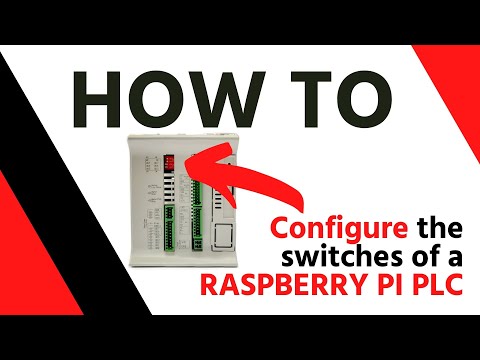
✅ In this video we can see how to configure correctly the Industrial RASPBERRY PI PLC switches. Understand how it works and how easy it can be to setup your device.
Remember giving a like 👍 and subscribe to our Youtube channel to stay in touch!
------------------------------------------------------------------------------------------------------------------------------------------------
📌 Check our official website to know more about our products: https://www.industrialshields.com/
------------------------------------------------------------------------------------------------------------------------------------------------
📚 Check our blog for more information and examples: https://www.industrialshields.com/blog/industrial-shields-blog-1
☑️ Follow us on Twitter: https://twitter.com/indshields
☑️ Follow us on Facebook: https://www.facebook.com/industrialshields
☑️ Follow us on Linkedin: https://linkedin.com/company/industrialshields
In this video you will see one of the best option to easily program Industrial Shields HMI. With the use of NodeRED© you can start programming an application for the Touchberry range.
This video explains the basics of how to find the right PLC controller for each specific application. It may seem complicated, but look at the video to make the process easier.
You can find more information in this Blog post.
https://www.industrialshields.com/blog/arduino-industrial-1/post/how-to-find-your-perfect-industrial-plc-264
Remember giving a like and subscribing to our Youtube channel to keep in touch!
------------------------------------------------------------------------------------------------------------------------------------------------
📌 Check our official website to know more about our products: https://www.industrialshields.com/
------------------------------------------------------------------------------------------------------------------------------------------------
📚 Check our blog for more information and examples: https://www.industrialshields.com/blog/industrial-shields-blog-1
☑️ Follow us on Twitter: https://twitter.com/indshields
☑️ Follow us on Facebook: https://es-es.facebook.com/pg/industrialshields
☑️ Follow us on Linkedin: https://es.linkedin.com/company/industrialshields
En este capítulo del curso de programación de PLCs basados en Arduino para uso industrial y 100% gratuito, te mostramos cómo funcionan las entradas en un PLC y cómo se programan tanto para un PLC basado en Arduino como para las placas Arduino individual.
En este capítulo, se muestran:
- Salidas Digitales.
- Salidas PWM.
- Salidas Analógicas
-------------------------------------------------- -------------------------------------------------- --------------------------------------------
📌 Consulta nuestro sitio web oficial para obtener más información sobre nuestros productos: https://www.industrialshields.com/
-------------------------------------------------- -------------------------------------------------- --------------------------------------------
📚 Consulta nuestro blog para obtener más información y ejemplos: https://www.industrialshields.com/blog/arduino-industrial-1
☑️ Síguenos en Twitter: https://twitter.com/indshields
☑️ Síguenos en Facebook: https://www.facebook.com/industrialshields/
☑️ Síguenos en Linkedin: https://es.linkedin.com/company/industrialshields
You can see how easy is to open the 10IOs module PLC (based on Arduino NANO or ESP32) in order to configurate the module using the jumpers.
In this video you can see the unboxing of a TouchBerry, which is an Industrial Panel PC based on Raspberry Pi
Check the description and product details here:
https://www.industrialshields.com/industrial-panel-pc-based-on-raspberry-pi
Remember giving a like and subscribing to our Youtube channel to keep in touch!
------------------------------------------------------------------------------------------------------------------------------------------------
📌 Check our official website to know more about our products: https://www.industrialshields.com/
------------------------------------------------------------------------------------------------------------------------------------------------
📚 Check our blog for more information and examples: https://www.industrialshields.com/blog/industrial-shields-blog-1
☑️ Follow us on Twitter: https://twitter.com/indshields
☑️ Follow us on Facebook: https://es-es.facebook.com/pg/industrialshields
☑️ Follow us on Linkedin: https://es.linkedin.com/company/industrialshields
Información pública de interés. ¡Suscríbete para ver las actualizaciones primero!