Raspberry PLC: industrial PLC, PC and gateway in one device
A Raspberry Pi inside a DIN-rail industrial controller. Program it with Python, Node-RED or C/C++ on Linux, and wire it to real industrial I/O.
- From 13 inputs and 8 outputs (Raspberry PLC 21) to 39 inputs (58) or 33 outputs with 24 relays (57R).
- Two Ethernet ports and two RS-485, plus Wi-Fi and Bluetooth LE, for Modbus TCP, Modbus RTU, MQTT and OPC UA.
- UPS and real-time clock: a clean shutdown when the power fails and the right time in every log.
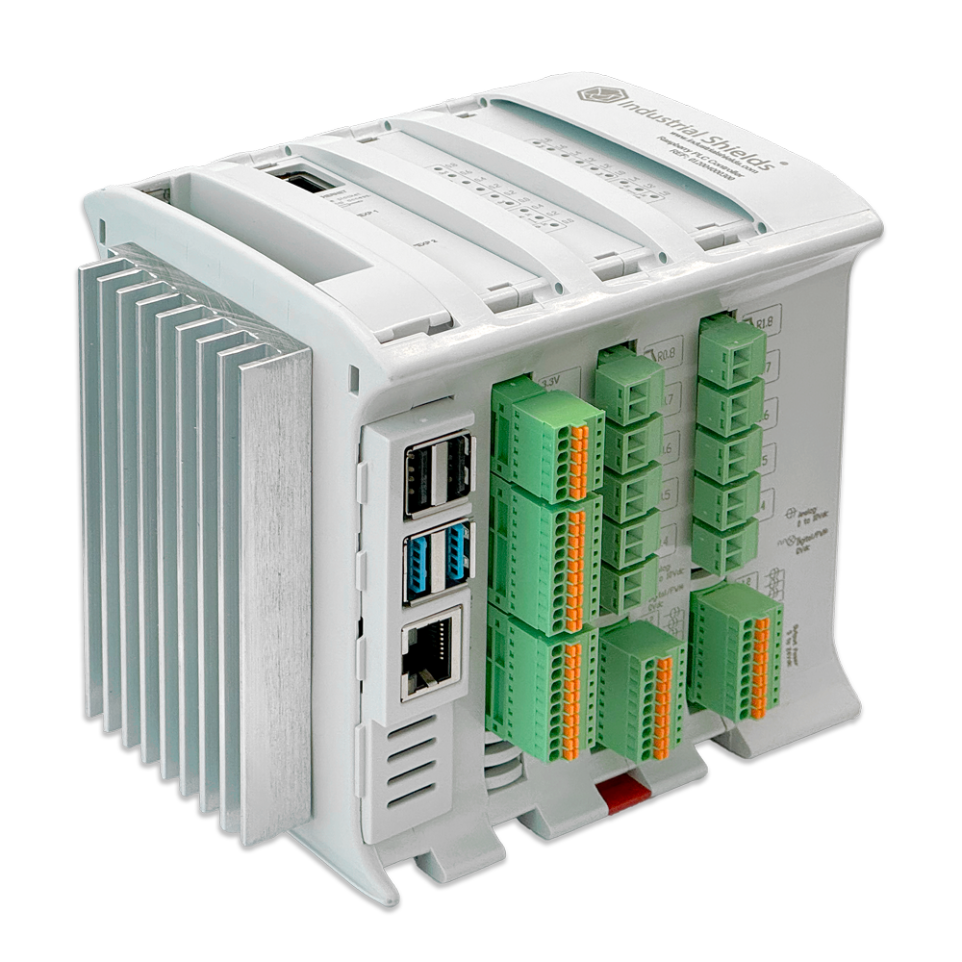
What one Raspberry PLC replaces
The controller, the industrial PC and the gateway are usually three devices. A Raspberry PLC does the three jobs in one DIN-rail unit.
PLC, PC and gateway
PLC: reads sensors and drives outputs and relays with the industrial I/O of each model.
PC: runs Linux, so your logic, a local database, a Node-RED dashboard or Docker containers live on the same device.
Gateway: collects data from Modbus RTU and Modbus TCP devices and sends it to the cloud or to your SCADA over MQTT or OPC UA.
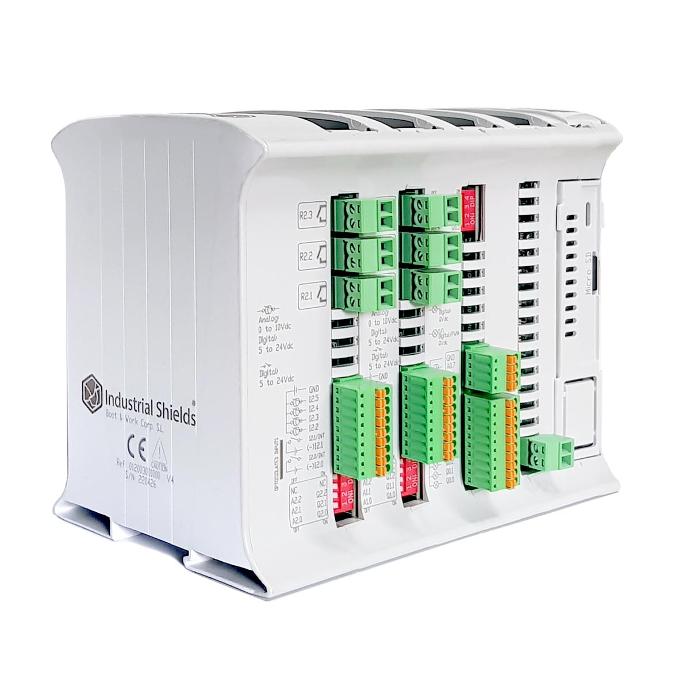
- UPSKeeps the system running long enough to shut down cleanly when the power fails, protecting the operating system and your data.
- Real-time clockKeeps date and time without network, for logs, schedules and timestamps.
- Linux and Raspberry Pi OSThe Debian-based system of the Raspberry Pi, with its tools and software.
- Two Ethernet portsOne for the machine network and one for the plant or office network.
- Two RS-485Two Modbus RTU buses at once, for example meters on one and drives on the other.
- Wi-Fi and Bluetooth LEWireless as standard. LoRa, 4G, CAN or M-Bus in the FLEX versions.
CORE or FLEX
The same Raspberry PLC in two ways of buying it.
Ready to ship
CORE
- Fixed configuration with 4 GB of RAM and Linux installed.
- For projects that need the controller now.
Configured to order
FLEX
- Choose RAM and add LoRa, 4G, CAN or M-Bus.
- For projects with specific communications.
Not sure which model? Compare every model by inputs, outputs and communications.
What you can build with it
Real projects with the problem, the solution and the hardware they use.

Installations
Machines, lines and buildings
Control and monitoring of installations with many signals, local logic and remote access.

Data
Monitoring and OEE
Collect machine data, calculate availability and performance and show it on a dashboard.

Cost
No licence fees
Linux, Python and Node-RED are free, and you keep full control of your code.
Why Industrial Shields
 Open solution
No licence fees and open software you control.
 Modular
Grow I/O and communications as the project grows.
 Lower price
Industrial-grade hardware at the price of open hardware.
Learn and start
- First steps
Access, libraries and the first program on a Raspberry PLC.
Start here - Software by family
Python, Node-RED and C/C++ on Raspberry PLC.
How to program it - CODESYS (experimental)
For prototypes and training only, not for production.
CODESYS guide - FAQ
Power supply, communications and choosing a model.
Read the FAQ
Questions about Raspberry PLC
Which Raspberry Pi is inside?
An original Raspberry Pi board inside an industrial enclosure. You choose the board version and the RAM (2, 4 or 8 GB depending on the model) when you configure it.
Can I use CODESYS?
Only for prototypes, testing and training. The I/O are read through non-standard blocks and the CODESYS for Raspberry Pi licence does not cover commercial use. For production, use Python, Node-RED or C.
What supply voltage does it need?
12 to 24 Vdc, like every Industrial Shields PLC.
What is the difference between CORE and FLEX?
CORE is a fixed configuration ready to ship. FLEX is configured to order with RAM and extra communications such as LoRa, 4G, CAN or M-Bus.
Talk to an engineer
Tell us what the system must do and which signals it has. An Industrial Shields engineer will answer with the right Raspberry PLC and the next steps.