

An Arduino Linux + Microcontroller Hybrid for Edge AI, IoT, and Real-Time Control
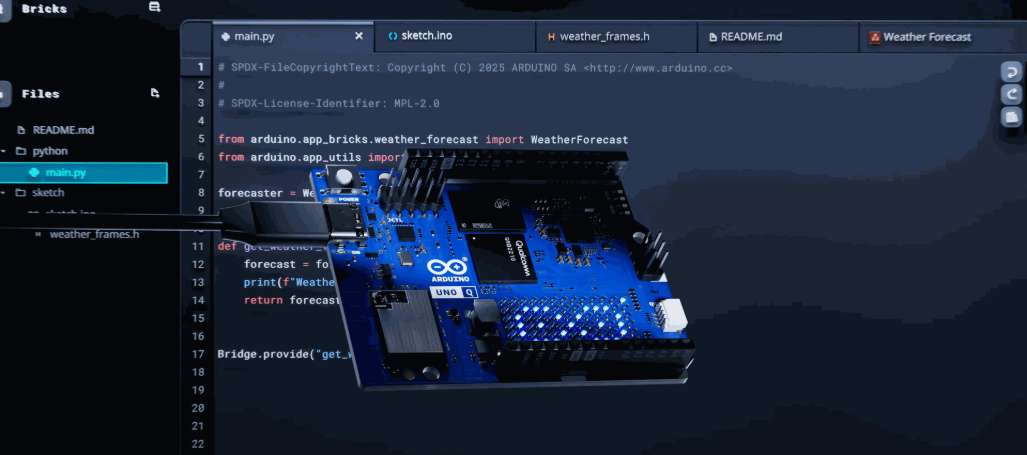
The Arduino UNO Q is here — and it’s changing the rules of what a development board can do. Designed for makers, professional developers, educators, and now also industrial engineers, this powerful new board combines a quad-core Linux processor with a real-time microcontroller, all in the classic UNO form factor.
Whether you're building a smart sensor, developing AI on the edge, or powering an industrial controller inside a PLC like the Industrial Shields Ardbox, the UNO Q delivers the performance and flexibility needed for modern embedded systems.
Why the Arduino UNO Q Is a Game-Changer
Key Features:
-
Dual-core architecture:
- STM32U5 MCU for low-power, real-time I/O and automation tasks.
- Qualcomm QRB2210 quad-core ARM Cortex-A53 running Debian Linux, perfect for multitasking, networking, vision, and AI workloads.
-
AI and Vision Capabilities:
GPU acceleration allows for on-board inference of lightweight AI models, making the UNO Q perfect for applications such as object detection, anomaly detection, and sound classification. -
Arduino App Lab:
A new hybrid development environment to work seamlessly with Python, Arduino Sketch (C++), and direct Linux shell access — bridging maker and professional workflows. -
Industrial Compatibility:
Its form factor allows easy integration into Industrial Shields Ardbox and M-Duino PLCs, turning this development board into a real edge computing node for Industry 4.0 applications.
Use Cases: From Prototyping to Industrial Edge Applications
| Use Case | Makers / Developers | Industrial |
|---|---|---|
| Smart devices with camera or voice input | Edge AI models on-device | Visual inspection, predictive maintenance |
| Remote dashboards and IoT interfaces | UI on Linux side + real-time sensor control | HMI replacement, data logging in PLCs |
| Data acquisition + cloud comms | MQTT/REST via Linux side | IoT gateway in smart factories |
| Hybrid coding (Python + Arduino) | Easy prototyping and testing | Streamlined deployment to field devices |
UNO Q lets you start as a maker and scale up to production — without switching hardware.
Arduino UNO Q + Ardbox: A Perfect Fit for Industry
When integrated into Industrial Shields PLCs, the UNO Q becomes much more than a dev board:
- Add AI processing to existing installations
- Run local dashboards or UIs without extra PCs
- Use Linux for protocol translation (e.g., Modbus → MQTT)
- Perform real-time control through the STM32 MCU
- Enable offline operation with local decision-making
All this, within the Arduino open-source ecosystem, using familiar tools and languages.
Getting Started with Arduino UNO Q
Install Arduino App Lab to access all development modes
Use the Arduino IDE or Python tools to build your first project
Try camera or AI examples to experience edge inference
Connect it to an Ardbox PLC to test industrial integration
Deploy your project with confidence in both prototype and production environments
Introducing Arduino App Lab: A Unified Environment for Hybrid Development
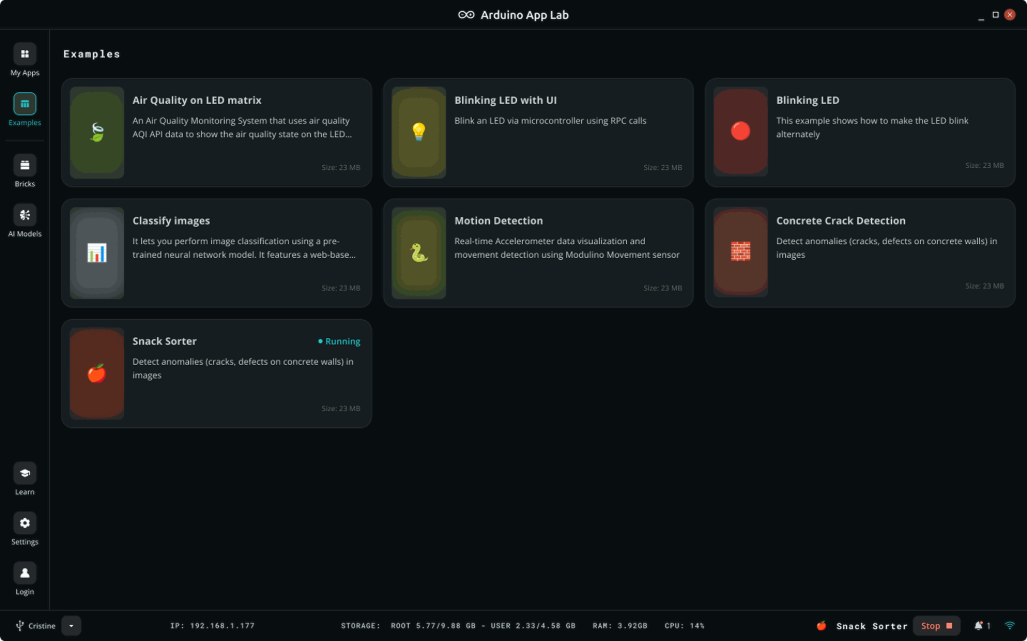
One of the most exciting innovations launched alongside the Arduino UNO Q is the new App Lab — a development environment built specifically to support the hybrid nature of the board.
App Lab is not just a new IDE — it’s a complete software framework designed to bridge Linux and MCU development, making it easier than ever to build powerful applications that combine real-time control with high-level logic, dashboards, and AI.
What is Arduino App Lab?
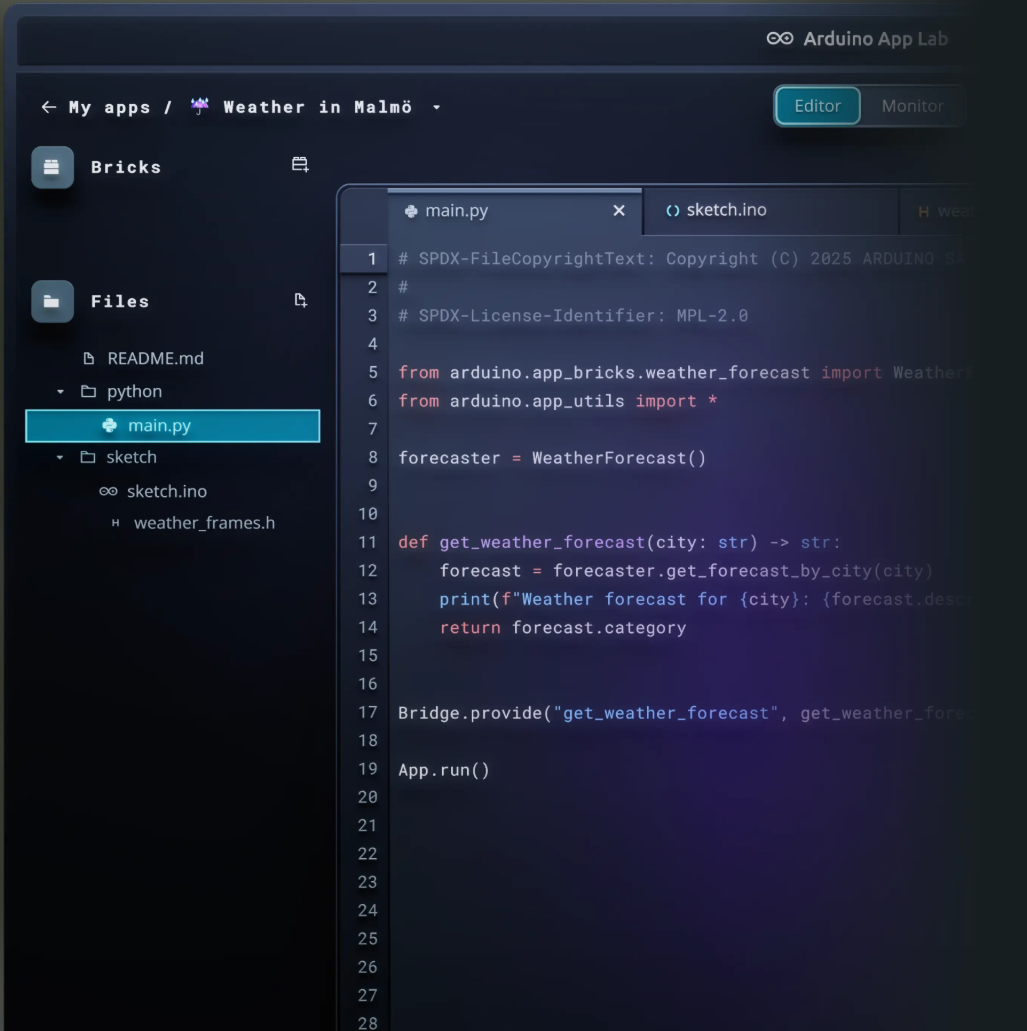
Arduino App Lab allows developers to create applications that run simultaneously on the Linux processor and the STM32U5 microcontroller on the UNO Q. It introduces a clean, web-based interface with project templates and unified libraries to communicate across the two cores.
- Write Python for Linux-side logic (networking, AI, UIs)
- Use Arduino Sketch / C++ for microcontroller tasks (I/O, sensors, actuators)
- Communicate between them via Remote Procedure Call (RPC) using easy-to-use functions
Who is App Lab For?
Makers: Test ideas fast using Python and Arduino code in the same project. Switch between high-level scripts and low-level control easily.
Educators: Use App Lab to teach real-world embedded systems where OS + MCU coexist — a huge step toward teaching true IoT.
Industrial developers: Prototype edge AI, dashboards, data handling, and automation logic on the same board that runs your final solution. App Lab makes integration straightforward, speeding up development and reducing system complexity.
Get Started with Arduino UNO Q and Ardbox
The Arduino UNO Q opens up a new category of embedded development, where Linux applications, real-time control, and AI can coexist on a single board. Whether you're building proof-of-concept projects, teaching modern IoT systems, or deploying edge logic into industrial environments, this board gives you the flexibility and power to scale.
At Industrial Shields, we provide hardware that makes the UNO Q ready for industrial use — like our Ardbox UNO Q PLC, designed to host this board in real-world automation systems with robust I/O and DIN rail mounting.
Start exploring today:
Bring your ideas from the lab to the factory floor — with the same board.
Meet the Arduino UNO Q: The Next-Level Edge Power for Makers, Developers, and Industrial Innovators